
To remove bad reviews from Google My Business, you can flag the review in the Reviews Management Tool and report it to Google for removal. Additionally, businesses can respond to the review in a professional and courteous manner to address any concerns and demonstrate their commitment to customer satisfaction.
Responding in a timely manner and offering to discuss and rectify any issues can help mitigate the impact of negative reviews. While it is not possible to directly delete reviews made by others, businesses can take steps to manage their online reputation and maintain a positive image.
Understanding The Impact Of Bad Reviews
Understand the impact of bad reviews and learn how to remove them from Google My Business. Protect your online reputation and ensure that negative content doesn’t define your business. Find out how to flag and report reviews, respond professionally, and resolve any issues with dissatisfied customers.
Importance Of Managing Online Reviews For Businesses:
Online reviews play a crucial role in a business’s reputation and success. With more and more customers relying on online reviews to make purchasing decisions, managing and addressing these reviews becomes essential. Here are the reasons why managing online reviews is important:
- Build trust: Positive reviews can help build trust and credibility among potential customers. When people see that others have had a positive experience with your business, they are more likely to trust and choose your products or services.
- Increase visibility: Online reviews have a direct impact on your search rankings. Positive reviews can boost your business’s visibility in search results, making it easier for customers to find you.
- Customer feedback: Online reviews provide valuable feedback from your customers. By analyzing these reviews, you can gain insights into what’s working well and what areas need improvement. This feedback can help you enhance your products, services, and overall customer experience.
- Competitive advantage: Managing and responding to online reviews can give you a competitive edge. By actively engaging with customers, addressing their concerns, and showing that you value their feedback, you can differentiate your business from competitors.
Negative Impact Of Bad Reviews On Reputation And Search Rankings:
Receiving negative reviews can have a detrimental impact on your business’s reputation and search rankings. Here’s why bad reviews should be taken seriously:
- Loss of trust: Negative reviews can erode trust and create doubts among potential customers. If they see negative feedback consistently, they may choose to avoid your business altogether.
- Decreased sales: Bad reviews can directly impact your bottom line. Studies show that customers are more likely to choose a competitor if they come across negative reviews about a business.
- Search rankings: Bad reviews can negatively affect your search rankings. Search engines like Google take into account the quality and quantity of reviews when determining search rankings. If you have a poor overall rating due to bad reviews, your business may appear lower in search results.
- Reputational damage: Bad reviews can harm your business’s reputation both online and offline. Word-of-mouth travels fast, and negative reviews can spread quickly, leaving a lasting negative impression on potential customers.
The Role Of Google My Business In Online Reputation Management:
Google My Business (GMB) is a powerful tool for managing your online reputation. Here’s how GMB can help with your online reputation management:
- Display essential information: GMB allows you to display crucial information about your business, such as contact details, opening hours, and customer reviews, all in one place. This makes it easier for potential customers to find and learn about your business.
- Respond to reviews: GMB enables you to respond to both positive and negative reviews. By publicly addressing concerns, expressing gratitude for positive feedback, and showing that you value customer opinions, you can demonstrate your commitment to excellent customer service.
- Improve search visibility: Having an optimized GMB profile can improve your business’s visibility in Google search results and Google Maps. This increased visibility can help attract more customers and drive foot traffic to your physical location.
- Monitor customer insights: GMB provides valuable insights into customer behavior and engagement. You can track metrics like the number of views on your profile, search queries that led to your business, and customer actions, helping you make data-driven decisions to enhance your online presence.
By utilizing the features and benefits of Google My Business, you can effectively manage and improve your online reputation, ultimately boosting your business’s success.
Flagging And Reporting Inappropriate Reviews
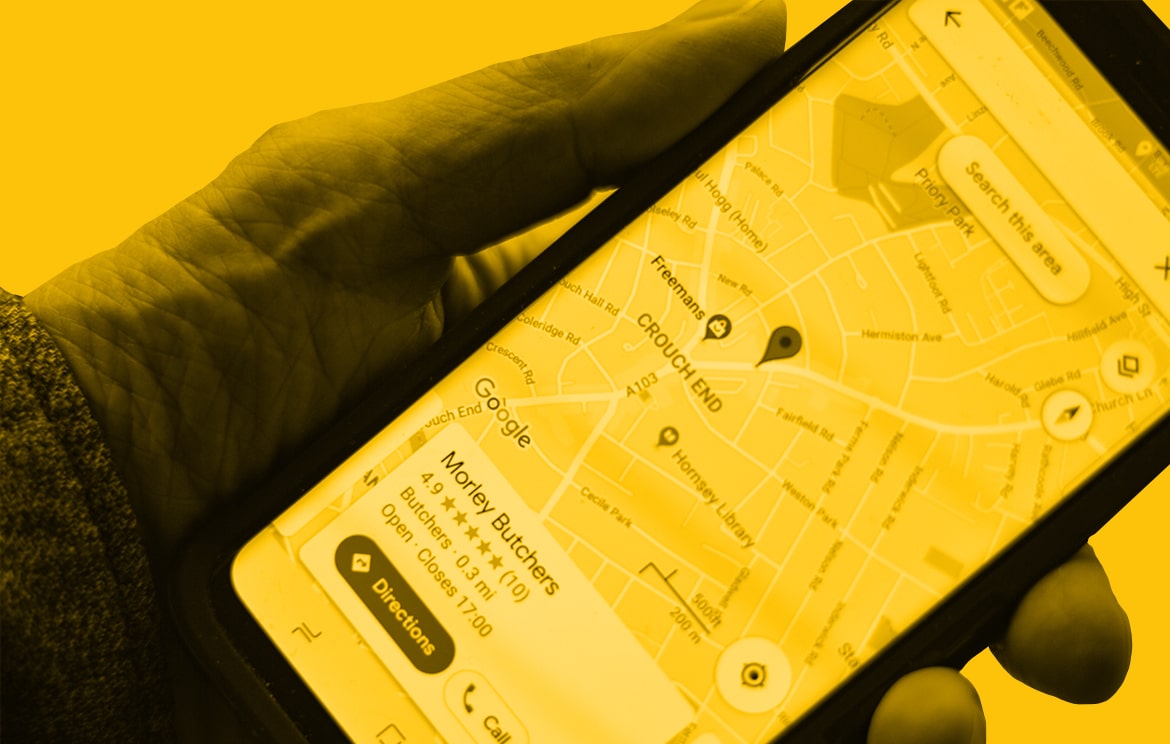
To remove bad reviews from Google My Business, you can flag and report them. Open the Google Maps app, go to your Business Profile, and tap on Reviews. Find the review you want to report, tap on More, and select Report review.
Remember to respond professionally and offer to resolve any issues with the customer.
How To Identify And Flag Inappropriate Reviews On Google My Business:
- Pay attention to the content of the review: Look for reviews that contain hate speech, threats, or discriminatory language.
- Check the reviewer’s profile: Look for suspicious or malicious accounts that may be posting false or damaging reviews.
- Assess the relevance and accuracy of the review: Determine if the review is specific to your business and if the claims made are factual.
Reporting Process For Reviews That Violate Google’S Guidelines:
- Sign in to your Google My Business account.
- Navigate to the “Reviews” section and find the review you want to report.
- Click on the flag icon next to the review.
- Select the appropriate reason for reporting the review, such as “Spam” or “Inappropriate Content.”
- Provide additional details to support your report, if necessary.
- Submit the report, and Google will review it to determine if the review violates their guidelines.
Engaging With Google Support For Assistance With Review Removal:
- Contact Google Support regarding the inappropriate review and your request for removal.
- Provide all relevant details, including the specific review and the reasons why it violates Google’s guidelines.
- Clearly explain the impact of the review on your business’s reputation and provide any supporting evidence.
- Request assistance in removing the review and ask for updates on the progress of your request.
- Follow up with Google Support if necessary to ensure that your request is being addressed.
Managing And Responding To Bad Reviews
Learn how to effectively manage and respond to bad reviews on Google My Business without violating any terms. Discover strategies for removing negative reviews and protecting your online reputation.
Managing and responding to bad reviews on Google My Business is crucial for maintaining your online reputation and building trust with potential customers. Here are some best practices and strategies to effectively address and resolve negative reviews:
- Best practices for responding to negative reviews on Google My Business:
- Respond promptly: Show that you value customer feedback by addressing negative reviews in a timely manner.
- Be professional and polite: Keep your tone courteous and professional, even if the review is unfair or unjustified.
- Personalize your response: Address the reviewer by name if possible and acknowledge their concerns individually.
- Take the conversation offline: If appropriate, provide contact information for the customer to reach out to you directly to resolve the issue privately.
- Apologize and empathize: Express genuine regret for the customer’s negative experience and demonstrate empathy towards their concerns.
- Provide a solution: Offer a resolution to the issue, whether it’s a refund, replacement, or any other appropriate action to rectify the situation.
- Encourage further communication: Invite the customer to reach out to you directly to discuss the matter further and find a satisfactory solution.
- Strategies for addressing customer concerns and resolving issues:
- Investigate the issue: Look into the details of the customer’s complaint to understand the root cause and gather all necessary information.
- Offer a genuine apology: Sincerely apologize for any inconvenience or dissatisfaction caused, taking ownership of the mistake if applicable.
- Resolve the problem: Take appropriate actions to address the customer’s concerns and ensure that the issue is properly resolved.
- Communicate the resolution: Update the customer on the steps you’ve taken to resolve the problem and ensure they are satisfied with the outcome.
- Follow up: Check back with the customer to ensure their continued satisfaction and address any further questions or concerns they may have.
- Importance of actively managing and monitoring online reviews:
- Protect your reputation: Online reviews can significantly impact your business’s reputation, so actively managing and monitoring them allows you to maintain control over your brand image.
- Gain valuable insights: Customer feedback, both positive and negative, can provide insights into areas of improvement and opportunities to enhance your products or services.
- Engage with customers: Responding to reviews shows that you value customer feedback and are committed to delivering exceptional experiences.
- Increase customer trust: When potential customers see that you actively respond to and resolve negative reviews, it builds trust and confidence in your brand.
- Boost local SEO: Google takes into account the frequency and quality of your online review responses when ranking local businesses, making it essential to actively manage and respond to reviews.
Remember, managing and responding to negative reviews on Google My Business is an ongoing process. By following these best practices and strategies, you can turn negative experiences into opportunities for growth and improvement, showcasing your commitment to customer satisfaction.
Credit: www.one9seven6.co.uk
Seeking Legal Options For Review Removal
Seeking legal options is an effective strategy for removing bad reviews from Google My Business. By following the proper legal channels, businesses can protect their reputation and ensure that negative content does not define them.
Overview Of Legal Actions That Can Be Taken To Remove Unfair Or Defamatory Reviews:
- Filing a defamation lawsuit against the reviewer: If a review contains false statements that harm your business’s reputation, it may be possible to sue the individual for defamation. However, keep in mind that this option requires strong evidence to prove the false statements and the damage they caused.
- Issuing a cease and desist letter: In some cases, sending a cease and desist letter to the reviewer may be enough to resolve the issue. This letter demands that the reviewer removes the unfair or defamatory review or else face legal consequences.
- Submitting a DMCA takedown request: If a review includes copyrighted content, such as images or text, without permission, you can file a Digital Millennium Copyright Act (DMCA) takedown request with Google. This request can result in the removal of the review.
- Pursuing a court order for review removal: In extreme cases, where reviews are clearly false or malicious, you may need to seek a court order to have them removed. This process involves presenting your case to a judge and obtaining a legal order for the removal of the reviews.
When To Consider Pursuing Legal Avenues For Review Removal:
- When the review contains false statements: Legal action may be warranted if a review includes false statements about your business that have caused significant harm to your reputation.
- When the review is defamatory: Defamatory reviews can negatively impact your business and may warrant legal action. If the review contains false statements that have harmed your reputation, it’s important to consider pursuing legal avenues to protect your business.
- When other attempts at resolution have failed: If you have already tried other approaches, such as responding to the reviewer or flagging the review to Google, without success, it might be time to seek legal assistance.
Working With A Lawyer Or Reputation Management Agency For Legal Support:
- Consulting with a lawyer: If you decide to pursue legal action, it is important to work with a lawyer who specializes in defamation or internet law. They can guide you through the process and help you build a strong case for review removal.
- Hiring a reputation management agency: Reputation management agencies can assist you in handling legal matters related to online reviews. They have experience in dealing with review removals and can provide the necessary expertise to protect your online reputation.
- Evaluating the costs and benefits: Before proceeding with legal action, it is essential to consider the financial implications and potential outcomes. Working with a lawyer or reputation management agency can provide insight into the cost-effectiveness of pursuing legal avenues for review removal.
Remember, seeking legal options for review removal should be carefully considered and pursued as a last resort. It is advisable to exhaust other avenues, such as responding to reviews and resolving customer concerns, before resorting to legal action.
Conclusion: Taking Control Of Your Online Reputation
Learn how to take control of your online reputation by effectively removing bad reviews from Google My Business. Protect your brand image and ensure that negative content does not define your online presence. Discover strategies to remove and manage negative reviews, allowing you to maintain a positive online reputation.
Recap Of Strategies And Techniques Discussed For Removing Bad Reviews From Google My Business:
- Respond promptly and professionally to negative reviews, addressing the customer’s concerns and offering a resolution.
- Flagging reviews that violate Google’s content policies, such as spam or fake reviews.
- Encouraging satisfied customers to leave positive reviews to outweigh the negative ones.
- Utilizing Google My Business’s dispute resolution process for reviews that are clearly false or defamatory.
- Implementing a proactive customer feedback process to identify and address issues before they become negative reviews.
- Monitoring and tracking online reviews regularly to stay updated on customer feedback.
Importance Of Proactive Reputation Management And Maintaining A Positive Online Presence:
- Negative reviews can significantly impact a business’s reputation and potential customer base.
- Taking a proactive approach to managing online reviews allows businesses to address concerns promptly and show their commitment to customer satisfaction.
- Maintaining a positive online presence can help build trust and credibility with potential customers.
- A strong online reputation can lead to increased customer loyalty and positive word-of-mouth referrals.
- Responding to negative reviews demonstrates a commitment to customer service and a willingness to address and resolve issues.
Final Thoughts On The Long-Term Benefits Of Effectively Managing Online Reviews:
- Successfully managing online reviews can lead to improved search engine rankings and visibility.
- Positive reviews can attract potential customers and differentiate a business from competitors.
- A strong online reputation can help overcome negative press or interactions.
- Addressing negative reviews can lead to improved customer satisfaction and loyalty.
- Regularly managing and responding to online reviews allows businesses to stay connected with their customers and address their needs.
Remember, taking control of your online reputation requires a proactive approach and consistent effort. By implementing the strategies and techniques discussed, businesses can effectively manage their online reviews and maintain a positive online presence.
Frequently Asked Questions Of How To Remove Bad Reviews From Google My Business
How Do I Remove Negative Reviews From Google My Business?
To remove negative reviews from Google My Business: 1. Open the Google Maps app on your phone or tablet. 2. Go to your Business Profile by tapping on “Business” at the bottom right. 3. Tap on “Reviews” and find the review you want to report.
4. To flag a review, tap on “More” and select “Report review. ” 5. To flag a user, tap on their name, then “More” and select “Report profile. “
Can Google Business Owners Delete Reviews?
No, Google business owners cannot delete reviews posted by others on their profile. They can only delete reviews posted by themselves on their own or other business profiles.
How Do I Deal With Negative Google Reviews?
To deal with negative Google reviews, follow these steps: 1. Respond promptly, professionally, and courteously. 2. Understand the customer’s experience before responding. 3. Apologize when necessary, but don’t take blame for things that aren’t your fault. 4. Offer to discuss the issue further to find a resolution.
Is It Illegal To Delete Bad Reviews?
It is legal to remove bad reviews as long as you’re not violating the Consumer Review Fairness Act.
Conclusion
Managing and removing bad reviews from Google My Business is essential for maintaining a positive online reputation. By following the steps mentioned in this blog post, including responding promptly to reviews, staying professional and courteous, and understanding the customer’s experience, you can effectively address negative reviews.
Additionally, you can flag inappropriate reviews and report them to Google for removal using the Reviews Management Tool. However, it is important to note that as a business owner, you cannot delete reviews posted by others on your profile. Remember, it is not illegal to remove bad reviews as long as you are not violating the Consumer Review Fairness Act.
By proactively addressing negative reviews and offering solutions, you can minimize the impact of bad reviews and showcase your commitment to customer satisfaction. Taking these steps will help protect your online reputation and ensure a positive perception of your business on Google My Business.
