
To increase Google reviews, update your Google Business Profile, make asking for reviews a routine, make it easy for customers to leave reviews, maximize the power of follow-up emails, respond to all customer reviews, and showcase your success.
Step 1: Update Your Google Business Profile
Update your Google Business Profile to increase your Google reviews. Make asking for reviews a routine, make it easy for customers to leave reviews, and respond to all customer reviews to showcase your success.
Ensure Your Google My Business Listing Is Verified And Up-To-Date:
- Verify your Google My Business listing to gain access to all the features and benefits available for your business profile.
- Keep your business information up-to-date by regularly reviewing and making any necessary changes to your contact details, business hours, and website URL.
- Verify your business location through the verification process to establish authenticity and credibility with potential customers.
Optimize Your Business Description, Contact Information, And Business Hours:
- Craft a compelling and informative business description that highlights your unique selling points, products, or services. Use relevant keywords to optimize your description for search engines.
- Ensure that your contact information, including phone number, email address, and physical address, is accurate and easily accessible to customers.
- Double-check and update your business hours to reflect any changes during holidays, weekends, or special occasions.
Add High-Quality Photos To Attract Customers:
- Upload high-quality photos of your business, products, or services to showcase what you have to offer.
- Include a variety of images, such as interior and exterior shots, product close-ups, and team photos, to give customers a clear and comprehensive view of your business.
- Make sure each photo is properly labeled with relevant keywords and descriptions to enhance search engine visibility.
Remember, updating your Google Business profile is the first step in increasing your Google reviews. By optimizing your profile with accurate information and vibrant visuals, you can attract more customers and encourage them to leave positive reviews.
Step 2: Make Asking For Reviews A Routine
One key step to increase Google reviews is to make asking for reviews a routine. By integrating this practice into your regular business operations, you can make it easy for customers to leave reviews and maximize the power of follow-up emails, ultimately showcasing your success and boosting your local SEO.
To increase the number of Google reviews for your business, it’s crucial to make asking for reviews a routine part of your operations. Here are some effective strategies to implement:
Train Your Staff To Ask Customers For Reviews:
- Educate your employees on the importance of online reviews and how they can impact your business’s reputation and visibility.
- Encourage them to ask satisfied customers to leave a review on Google after completing a transaction or receiving a service.
- Teach them effective techniques to approach customers and make the request in a polite and non-intrusive manner.
- Emphasize the significance of genuine reviews and the role they play in attracting potential customers.
Include Review Requests In Follow-Up Emails Or Customer Surveys:
- After a transaction or service, send automated follow-up emails or customer surveys to gather feedback.
- Include a clear call-to-action asking customers to leave a review on Google if they had a positive experience.
- Provide a direct link to your Google My Business page to make it convenient for customers to leave a review.
- Personalize the email or survey to make it more engaging and increase the likelihood of receiving reviews.
Offer Incentives Or Discounts For Leaving A Review:
- Motivate customers to leave reviews by offering incentives such as discounts on future purchases or exclusive deals.
- Make sure the incentives are valuable enough to encourage customers to take the time to write a review.
- Clearly communicate the incentive program to customers, so they are aware of the benefits they can gain by leaving a review.
- Ensure that the reviews remain honest and authentic, even with the added incentive.
By making asking for reviews a routine practice, you can significantly increase the number of Google reviews for your business. Training your staff, including review requests in follow-up emails or surveys, and offering incentives are effective strategies to encourage satisfied customers to share their experiences online.
Start implementing these techniques today and watch your Google reviews soar!
Step 3: Make Leaving Reviews Easy For Customers
To increase Google reviews, make leaving reviews easy for customers. Update your Google Business Profile, ask for reviews regularly, and maximize the power of follow-up emails. Respond to all customer reviews and showcase your success to encourage more reviews.
Making it as simple as possible for your customers to leave a review is crucial in increasing the number of Google reviews for your business. Here are some effective strategies to make the process easy and convenient:
- Provide clear instructions on how to leave a Google review: Take the time to explain to your customers how they can leave a review on Google. You can create a step-by-step guide on your website or even make a short video tutorial. This will help those who are unfamiliar with the process feel more confident and more likely to leave a review.
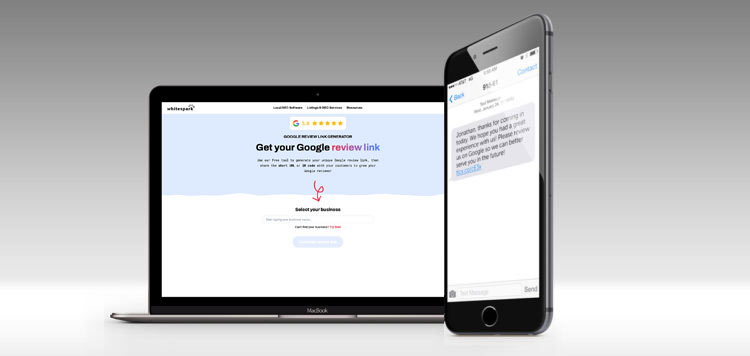
- Share direct review links on your website and social media profiles: One of the easiest ways to encourage customers to leave reviews is by providing direct links to your Google review page. Include these links on your website, social media profiles, and even in email newsletters. By eliminating the need for customers to search for your business on Google, you remove potential barriers and increase the chances of them leaving a review.
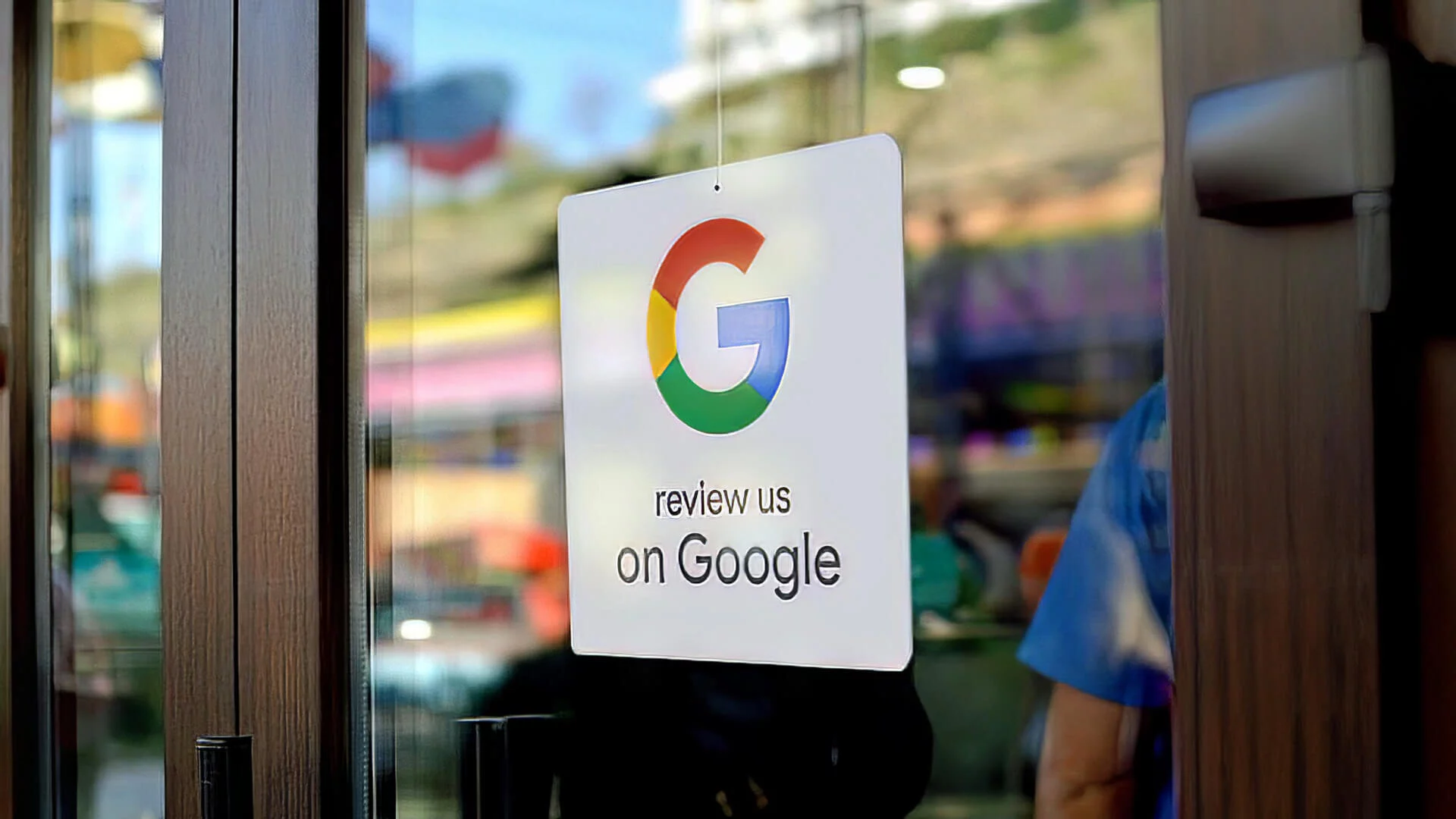
- Create signage or QR codes for customers to scan and leave a review instantly: Another effective method is to create signage or QR codes that customers can easily scan to leave a review instantly. Place these signs in your store, on your packaging, or even on your business cards. By making it effortless for customers to leave a review, you can significantly increase the number of reviews you receive.
Remember, the easier it is for customers to leave a review, the more likely they are to do so. Implementing these strategies will streamline the process and make it convenient for your customers to share their experiences with others.
Step 4: Maximize The Power Of Follow-Up Emails
To increase Google reviews, maximize the power of follow-up emails. Send personalized emails to customers after their purchase or interaction, requesting them to leave a review. Make it easy for them by providing direct links and instructions. Regularly following up can greatly boost your chances of getting more reviews.
Send Automated Follow-Up Emails After A Purchase Or Service Experience:
- Set up an automated email system that sends a follow-up message to customers after they make a purchase or use your services.
- This email should be timely, ideally sent within a few days of the transaction, while the experience is still fresh in the customer’s mind.
- Customize the email to include a personalized thank you message and express your appreciation for their support.
- Keep the email concise and friendly, making sure to emphasize that their feedback is valuable to your business.
- Include a call-to-action urging customers to leave a review on your Google My Business page.
Thank Customers For Their Support And Ask For A Review:
- Begin the email by expressing gratitude for the customer’s support and patronage.
- Let them know that their satisfaction is important to you and that their feedback can help you improve your products or services.
- Encourage customers to share their experience by leaving a review on your Google My Business page.
- Emphasize that their review will help other potential customers make informed decisions about your business.
Include Links To Your Google My Business Page And Review Form:
- In the email, provide a direct link to your Google My Business page.
- Make sure the link is easily clickable and takes customers directly to the review section.
- Alternatively, you can include a ‘Review Us’ button that leads to your Google My Business page.
- Additionally, include a link to the review form for customers who prefer to leave reviews directly.
- Ensure that the links are prominently placed and easily accessible to customers.
Remember to always thank customers for their support and make it as easy as possible for them to leave a review. Automated follow-up emails are a powerful tool in maximizing your Google reviews, so make sure to implement this step in your review strategy.
Step 5: Respond To All Customer Reviews
To increase your Google reviews, it is essential to respond to all customer reviews. This not only shows that you value your customers’ feedback but also improves your online reputation and encourages others to leave reviews.
Responding to customer reviews, whether positive or negative, is an essential step in increasing the number of Google reviews for your business. By engaging with your customers through thoughtful responses, you can show appreciation for positive feedback and address concerns for negative feedback.
Here are some tips for effectively responding to customer reviews:
- Monitor your Google reviews regularly: Make it a habit to check your Google business profile regularly for new reviews. Set up notifications so that you are alerted whenever a new review is posted.
- Respond to both positive and negative reviews in a professional manner: Take the time to respond to every customer review, regardless of whether it is positive or negative. This shows your customers that you value their feedback and are actively listening to their experiences.
- Show appreciation for positive feedback: When responding to positive reviews, express your gratitude and let the customer know how much you value their feedback. Use specific details from their review to personalize your response and make it more meaningful.
- Address concerns for negative feedback: Negative reviews can be an opportunity for growth and improvement. When responding to negative reviews, acknowledge the customer’s concerns and apologize if necessary. Offer a solution or invite the customer to contact you directly to discuss their concerns further. This shows that you are proactive in addressing issues and are committed to providing excellent customer service.
By responding to all customer reviews in a professional and timely manner, you not only show your current customers that you value their feedback but also demonstrate to potential customers that you are committed to their satisfaction. Engaging with your customers through responses can lead to increased trust, loyalty, and ultimately, more Google reviews for your business.
Credit: blog.tlconnects.com
Step 6: Showcase Your Success
To increase your Google reviews, update your Google Business Profile, incorporate review requests into your routine, make it easy for customers to leave reviews, maximize follow-up emails, and respond to all customer reviews. Showcase your success by actively sharing positive feedback from customers.
Share Positive Reviews On Your Website, Social Media, And Other Marketing Channels:
- Display a selection of your best Google reviews on your website’s homepage or testimonials page. This will help build trust with potential customers who visit your site.
- Share positive reviews on your social media platforms, such as Facebook, Twitter, and Instagram. This will increase your brand’s visibility and encourage your followers to visit your Google My Business page and leave their own reviews.
- Include snippets of positive reviews in your email newsletters or marketing campaigns. This will showcase the positive experiences of your happy customers, which can be a powerful marketing tool.
Use Testimonials In Your Advertising And Promotional Materials:
- Incorporate customer testimonials into your print advertisements, brochures, and flyers. This will provide social proof and convince potential customers of the quality of your products or services.
- Create video testimonials featuring satisfied customers, and use them in your video marketing efforts. Videos are highly engaging and can have a significant impact on your audience.
- Utilize customer testimonials on your landing pages or product pages. Place them strategically to highlight specific benefits or features of your offerings and persuade visitors to take action.
Highlight Your High Rating And Positive Feedback To Attract New Customers:
- Display your high rating prominently on your website, social media profiles, and other online platforms. This will catch the attention of potential customers and make them more likely to choose your business over competitors.
- Showcase positive feedback from your Google reviews in your marketing materials. This can be done through customer success stories, case studies, or even quotes from satisfied customers.
- Use positive reviews as social proof during sales pitches or presentations. Sharing real-life experiences from happy customers can be a persuasive tool when trying to win over new clients.
Remember, showing off your success through positive reviews and testimonials can significantly impact your business’s online reputation and attract new customers. Incorporating these strategies into your marketing efforts will help elevate your brand’s visibility and credibility.
Frequently Asked Questions On How To Increase The Google Reviews
How Can I Increase My Google 5 Star Reviews?
To increase your Google 5-star reviews, follow these steps: – Update your Google Business Profile and ensure it is verified and up-to-date. – Make asking for reviews a part of your routine. – Make it easy for customers to leave reviews.
– Maximize the power of follow-up emails. – Respond to all customer reviews. – Showcase your success. By implementing these strategies, you can increase your Google 5-star reviews and improve your online reputation.
How Do I Get Google Reviews To Show Up?
To get Google reviews to show up, follow these steps: 1. Update your Google Business Profile and ensure it is verified and up-to-date. 2. Make it a routine to ask for reviews from your customers. 3. Simplify the process for customers to leave reviews.
4. Maximize the power of follow-up emails to encourage reviews. 5. Respond to all customer reviews, both positive and negative. 6. Showcase your success and engage with your customers. By implementing these strategies, you can increase the visibility of your Google reviews and boost your local SEO.
Q: How Can I Increase My Google Reviews?
A: You can increase your Google reviews by updating your Google Business Profile, making it easy for customers to leave reviews, maximizing the power of follow-up emails, responding to all customer reviews, and showcasing your success.
Q: How Do I Fix Missing Google Reviews?
A: To fix missing Google reviews, check if your Google My Business listing is verified and up-to-date. Look for any spam or inappropriate reviews that Google may have removed. If a legitimate review is missing, contact Google support for assistance.
Conclusion
Getting more Google reviews is essential for businesses looking to increase their online reputation and attract more customers. To boost your Google reviews, start by updating your Google Business Profile and making asking for reviews a routine part of your interactions with customers.
Make it easy for customers to leave reviews by providing them with a direct link or instructions on how to do so. Follow-up emails are also a powerful tool for maximizing the number of reviews you receive. It’s important to respond to all customer reviews, both positive and negative, to show that you value customer feedback.
By showcasing your success and the positive reviews you receive, you can build trust with potential customers. Remember, consumers trust what other consumers have to say, so prioritizing Google reviews is a key strategy for improving your online presence. Implement these tactics and watch your Google reviews soar.
